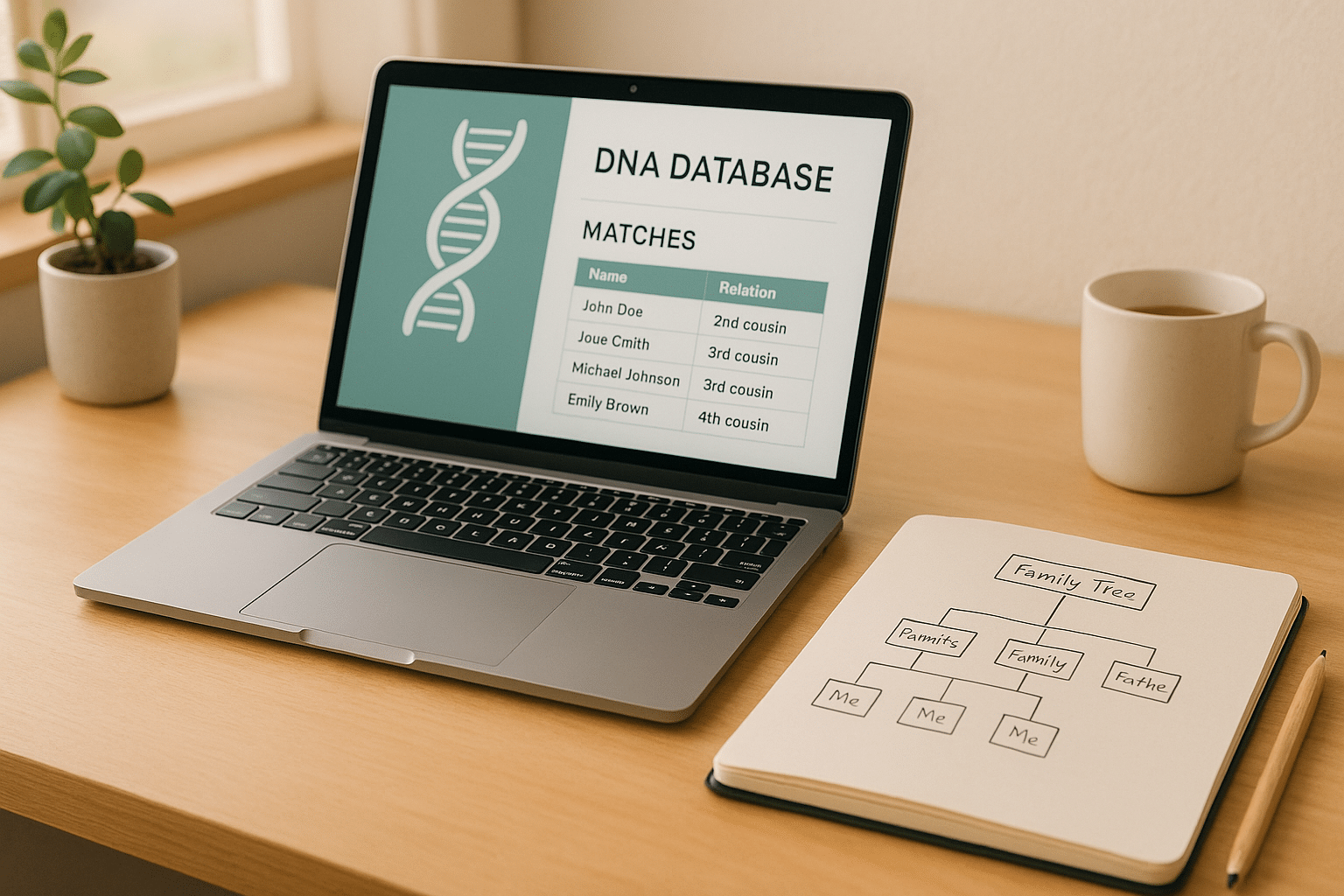

The GEDmatch One-to-Many tool is a powerful feature for genealogical research, allowing you to find DNA matches across multiple testing platforms. By comparing your DNA data with others in GEDmatch‘s database, it generates a detailed list of potential relatives, helping you trace family connections and refine your family tree.
Key Highlights:
- How It Works: Enter your kit number to scan your DNA against the entire GEDmatch database.
- What You Get: A match list with shared DNA amounts (centimorgans), largest segments, and contact info for potential relatives.
- Free vs. Tier 1: Free users access basic match lists, while Tier 1 ($10/month) unlocks advanced filtering, sorting, and visualization tools.
- Who Benefits: Ideal for adoptees, genealogists, and anyone seeking to connect with relatives across different DNA testing companies.
Quick Start:
- Upload your raw DNA file from services like AncestryDNA or 23andMe.
- Use the One-to-Many tool to view matches and shared DNA details.
- Contact matches or explore linked family trees to trace shared ancestry.
The tool is user-friendly, with options to refine your search by DNA segment size or relationship predictions. Advanced users can leverage premium features for deeper insights into family connections.
How to Use One-to-Many Matching | GEDmatch TUTORIAL for Genetic Genealogy
Setting Up and Using the One-to-Many Tool
Getting started with the One-to-Many tool involves a few simple steps: uploading your DNA data and learning how to run the analysis. While the process is straightforward, following the right steps ensures you get the most accurate results for your genealogical research.
Uploading Your DNA Data
To explore your genetic matches using the One-to-Many tool, you’ll first need to upload your raw DNA data. The platform supports files from major testing companies like AncestryDNA, 23andMe, MyHeritage, and FamilyTreeDNA. This cross-platform compatibility is what makes GEDmatch so effective for connecting with relatives who may have used different DNA services.
Obtaining Your Raw DNA File
Start by downloading your raw DNA file from your testing provider. These files, typically in .zip or .txt format, contain millions of genetic markers essential for analysis.
The Upload Process
Log into GEDmatch and head to the upload section. Select your raw DNA file, configure your privacy settings, and let GEDmatch process the file. Once the upload is complete, you’ll receive a unique kit number. Keep this kit number handy – it’s your key to running tools like the One-to-Many report.
Privacy Settings
For added security, consider using a dedicated email for your genealogical research. Adjust privacy options based on your comfort level with sharing genetic data.
Running the One-to-Many Report
Once your data is uploaded, you can dive into the One-to-Many tool. The interface is user-friendly and offers several ways to customize your search for better results.
Accessing the Tool
From your GEDmatch dashboard, you can either click on your kit number or navigate to "One-To-Many Limited Version" under the Free Tools section.
Setting Your Parameters
To get a comprehensive match list, select autosomal DNA. You can tweak settings like the minimum segment size and overlap cutoff to refine your results. For example, if you suspect endogamy (where relatives intermarry within a community), adjusting the minimum segment size can help filter out less meaningful matches.
Higher overlap values often result in more reliable matches, but they may exclude some distant relatives. If you’re new to this, stick with the default settings first and experiment with adjustments later as you become more familiar with the tool.
Generating Results
After setting your parameters, hit the search button. The tool will compare your DNA against every kit in the GEDmatch database and present the results in a table. This table includes details like kit numbers, names, email addresses, total shared centimorgans (cM), and links to any uploaded family trees.
With your match list in hand, you’re ready to dig deeper into your genetic connections and uncover new insights.
Free vs. Tier 1 Access Differences
GEDmatch offers a freemium model, meaning the basic One-to-Many tool is available for free, while advanced features require a Tier 1 subscription.
Free Access
As a free user, you can access both the standard One-to-Many tool and the Beta version. You’ll get a complete match list with essential details such as kit numbers, contact information, shared DNA amounts, and links to family trees.
Tier 1 Premium Features
For those who opt for Tier 1 membership, additional features become available. These include advanced filtering, visualization tools, and the ability to sort columns. Premium users also gain access to the "Select" column, which offers more customization options like filtering by centimorgans, haplogroups, X-DNA presence, or GEDCOM file availability.
| Feature | Free Access | Tier 1 Premium |
|---|---|---|
| Basic match list | ✓ | ✓ |
| Beta version access | ✓ | ✓ |
| Column sorting | ✗ | ✓ |
| Advanced filtering | Limited | Full access |
| Visualization tools | ✗ | ✓ |
| Select column options | ✗ | ✓ |
Knowing the differences between free and premium access helps you decide how to approach your analysis. Once your first One-to-Many report is ready, you’ll have a detailed list of genetic matches to explore. Clicking on any kit number allows you to start a new comparison and uncover connections across various family lines.
Reading and Understanding Your Results
When your One-to-Many report is ready, you’ll see a detailed table showcasing your genetic matches. Understanding the information in each column is key to uncovering meaningful genealogical connections. This report can help you pinpoint close relatives, verify family ties, and refine your research approach. Here’s a breakdown of the key elements to help you get the most out of your results.
Understanding Key Columns and Data
The One-to-Many report includes several essential columns, each serving a specific purpose in evaluating potential family connections.
- Kit Number: This is a unique identifier for each match, making it easy to explore related results and trace interconnected family networks.
- Name & Email: Displays the contact details provided by each match. This allows you to reach out and collaborate on family research with promising connections.
- Total cM: Represents the total amount of shared DNA, which is a strong indicator of relationship closeness. For instance, parent–child or full sibling relationships typically share between 2,300 and 3,400 cM, while third cousins might share around 75–150 cM.
- Largest Segment: Highlights the size of the largest shared DNA segment. Close relatives often share at least one segment over 30 cM, while distant matches usually have smaller segments under 10 cM.
- Testing Company: Identifies where the original DNA test was conducted (e.g., AncestryDNA, 23andMe, or MyHeritage). This is important because different companies use varying technologies, which can influence segment detection and match accuracy.
- GEDcom/WikiTree Links: These links connect to uploaded family trees or WikiTree profiles, offering direct access to documented family histories. They’re invaluable for identifying shared ancestors and confirming relationships.
- Age: Indicates how long a kit has been in the GEDmatch database. This can help you assess data quality and determine how active a user might be.
Sorting and Filtering Your Matches
The Beta version of the tool lets you sort and filter your matches, which is especially helpful when dealing with hundreds – or even thousands – of entries.
- Column Sorting: Organize matches by any data field. For example, sorting by Total cM brings your closest genetic matches to the top, while sorting by Largest Segment highlights matches with significant shared DNA blocks.
- Setting Minimum Thresholds: This feature helps filter out very distant or less reliable matches. For example, setting a minimum total cM of 30 ensures you focus on closer relatives while excluding less meaningful connections. This is particularly useful in populations with high levels of endogamy.
- Match Limits: Control how many results appear in your report, such as displaying only the top 50 or 100 matches. This makes it easier to concentrate on connections most likely to advance your research.
- Segment Size Filtering: Exclude matches with very small shared DNA segments (typically under 7–10 cM) to reduce false positives. You can also use overlap cutoff filters to refine your list further, which is helpful in filtering out minimal shared DNA in endogamous populations.
These tools allow you to focus on the most relevant matches and prepare for deeper analysis.
Working with Relationship Predictions
The report also provides relationship predictions, which are especially useful for Tier 1 subscribers. These predictions use shared cM values and segment data to suggest possible family connections, such as "2nd cousin" or "3rd cousin once removed."
- Prediction Accuracy: These estimates rely on statistical models and are not definitive proof of genealogical relationships. Factors like endogamy, population-specific DNA sharing patterns, and data quality variations can affect accuracy.
- Cross-Referencing with Family Trees: The best way to validate predictions is by comparing family trees. If a match has uploaded a GEDcom file or linked their profile to WikiTree, you can look for shared ancestors. For example, finding a common great-grandparent in both trees would support a second cousin prediction.
Here’s a practical example: Suppose a top match shares 250 cM of total DNA, with a largest segment of 38 cM, and both kits are from a reputable testing company. By reviewing their GEDcom link, you might discover a shared great-grandparent, confirming the second cousin prediction. This combination of DNA evidence and documented family history provides a strong foundation for drawing genealogical conclusions.
For Tier 1 users, advanced visualization tools can further enhance your analysis. These tools often reveal clusters of related matches, helping you identify family groups and connections that might not be immediately obvious from the raw data.
sbb-itb-65d4ad3
Advanced Features and Research Methods
Once you’ve mastered the basics of report analysis, diving into advanced features can take your research to the next level. These tools are designed for experienced users tackling intricate family mysteries, overcoming genealogical roadblocks, and making full use of GEDmatch’s analytical capabilities.
Applying Advanced Filters
The One-to-Many Beta tool introduces robust filtering options that go far beyond the basic version, making it indispensable for handling large match lists or analyzing data from populations with high endogamy.
One standout feature is segment size filtering. Typically, the minimum segment size is set to 7 cM, but you can adjust it to suit your research needs. For instance, increasing the threshold to 10–15 cM helps eliminate weaker matches, allowing you to concentrate on more meaningful shared DNA connections.
The tagging feature is another game-changer. It lets you organize matches by creating tags for specific family lines or research projects. This is particularly helpful when juggling multiple genealogical investigations, as it streamlines the process of identifying which matches align with particular research goals.
Additionally, autosomal and X-DNA filtering options enable you to focus on specific inheritance patterns. X-DNA analysis, for example, is especially effective for tracing maternal lines or testing specific relationship theories.
Armed with these refined tools, you can zero in on your Most Recent Common Ancestors (MRCA).
Identifying Most Recent Common Ancestors
Finding your MRCA involves combining DNA evidence with documented family trees. While the One-to-Many tool lays a solid genetic foundation, pinpointing specific ancestors often requires additional steps.
Start by prioritizing matches with attached GEDcom files or WikiTree links, as these often include family trees you can compare to your own. For matches sharing 100–200 cM of DNA, look for overlapping surnames, locations, or time periods that align with your known ancestry.
Segment analysis is crucial here. Large shared segments – those over 20 cM on the same chromosome – often point to a shared ancestral pair. When multiple matches share the same chromosomal region and reference the same documented ancestors, you’ve likely identified your MRCA.
The triangulation method further refines this process. By identifying groups of matches who share DNA with both you and each other on the same chromosomal segments, you can trace these shared segments back to a common ancestral couple. This method narrows down which ancestor passed down the shared DNA.
Once these strategies are in place, Tier 1 premium features can take your research even further.
Using Premium Features for Better Results
Tier 1 membership unlocks tools designed for advanced research, offering deeper insights and access to more comprehensive data.
With expanded match limits, Tier 1 users can view a much larger pool of matches compared to free users. This broader list often includes distant relatives who could provide the missing pieces to your genealogical puzzle.
The visualization options in the "Select" column present match data in easy-to-understand graphical formats. These visual tools uncover patterns and relationships that might not stand out in raw data, helping you identify clusters of related matches tied to specific family groups.
"I love being able to examine matches across various testing company platforms. I also have found the auto clustering very, very helpful."
– Cathy, GEDmatch User
Auto clustering tools automatically group your matches based on shared DNA segments. These clusters often represent genetic networks corresponding to different family branches, making it easier to see how your matches are interconnected and which branch of your family they belong to.
For those looking to dive even deeper, advanced segment analysis tools allow detailed chromosome mapping and comparisons. These tools show exactly where you share DNA with your matches, pinpoint the chromosomes containing shared segments, and enable comparisons across multiple matches.
The enhanced search and filtering capabilities available in Tier 1 provide more precise sorting options and let you save custom filters. This is especially useful for long-term projects where consistent analysis parameters are critical.
Lastly, detailed relationship predictions use advanced algorithms to account for population-specific DNA sharing patterns, offering more accurate relationship estimates. These predictions help you prioritize which matches to explore first and set realistic expectations for uncovering family connections.
Together, these advanced features and premium tools create a powerful research environment, making it possible to solve even the most challenging genealogical puzzles and uncover hidden family connections in your match data.
Advantages, Limitations, and Practical Tips
GEDmatch’s One-to-Many tool is a powerful resource for uncovering DNA matches across the globe. By understanding its strengths and weaknesses, you can fine-tune your research strategy and make the most of your subscription.
Free vs. Tier 1 Feature Comparison
Deciding between the free version and the Tier 1 plan ($10/month) can significantly influence your research experience. As mentioned earlier, Tier 1 membership offers advanced tools like enhanced sorting, filtering, and visualization, which are especially helpful for those working through complex family histories or extensive DNA match lists. If you have ancestry from endogamous populations, these advanced filtering options can be particularly handy in weeding out less meaningful matches.
For those deeply invested in genealogy, the $120 annual cost can be a worthwhile expense, particularly when tackling intricate family puzzles or large volumes of matches.
"I love being able to examine matches across various testing company platforms. I also have found the auto clustering very, very helpful." – Cathy, GEDmatch User
Common Problems and How to Fix Them
After analyzing your results, you might encounter a few common hurdles. Managing large numbers of DNA matches can feel overwhelming, so focus on matches with higher shared DNA amounts, as these typically represent closer relationships.
Small shared DNA segments often indicate distant connections that might not offer much actionable information, especially for beginners. Tier 1 users can fine-tune filtering settings to hide less significant matches and streamline their analysis.
For those with endogamous ancestry, shared DNA results may appear inflated due to historical intermarriage within the population. Raising the threshold for shared DNA and focusing on triangulated matches can help identify meaningful connections.
New users might find the interface or terminology confusing at first. Start with the basic tools, use a genealogy glossary to understand key terms, and gradually familiarize yourself with metrics like shared DNA amounts and segment sizes.
To stay organized, consider using a simple spreadsheet to track your progress. Record contacted matches, their responses, and any family tree connections you uncover.
Privacy and Data Security
While navigating these challenges, it’s essential to protect your genetic data. GEDmatch employs strong encryption and authentication protocols to safeguard your DNA files during both storage and transmission.
The platform allows you to control the visibility of your DNA kit. Public settings enable collaboration with other researchers, while private settings limit access and direct communication. U.S. users also have the option to opt out of law enforcement matching, ensuring their data is excluded from criminal investigations while still being available for genealogical research.
Keep in mind that when your kit appears in someone else’s match list, your registered email address is automatically shared. Many users create a dedicated email account specifically for genealogy purposes to maintain privacy.
Although GEDmatch generally resists third-party data requests, it may be required to comply with valid legal demands. It’s a good idea to review the platform’s privacy policy periodically, as updates may occur in response to changes in legal standards.
Balancing privacy with the benefits of data sharing is crucial. By managing these considerations thoughtfully, you can integrate the One-to-Many tool into a broader, more effective genealogical research strategy.
Summary and Next Steps
The One-to-Many tool is your gateway to uncovering genetic connections by comparing your DNA with thousands of profiles across multiple testing platforms. It’s a powerful way to identify potential relatives, trace shared ancestry, and build family connections that might otherwise remain out of reach.
To get started, focus on your top matches. Prioritize those with substantial shared DNA and multiple segments – these often indicate closer relationships and offer the best opportunities for meaningful discoveries. Dive into linked family trees to pinpoint possible common ancestors and strengthen your research.
"Thank you! I believed I was going to find some family through GEDmatch but wow – finding my brothers and sister exceeded my expectations!" – David, GEDmatch User
Keep track of your progress by organizing match details, contact information, and correspondence notes in a spreadsheet. This system becomes a lifesaver as your research grows and spans multiple family lines.
Once you’ve identified promising matches, take it a step further with the One-to-One Autosomal DNA Comparison tool. This tool provides a detailed segment analysis, helping you confirm shared DNA amounts before reaching out to potential relatives. It ensures your efforts are focused on authentic family connections.
For Tier 1 subscribers ($10/month), additional features like advanced filtering options, visualization tools, and access to the Beta version with enhanced functionality can make a big difference. These tools are especially helpful for managing extensive match lists or navigating the complexities of researching families with endogamous backgrounds.
Stay up-to-date on new tools and research techniques by subscribing to the GEDmatch newsletter. It’s a great way to learn about platform updates, expert tips, and the latest advancements in the genealogy community. The Beta version, in particular, continues to improve with new features and a more user-friendly interface.
Genealogical research thrives on patience and a systematic approach. Start with your closest matches, keep your records well-organized, and gradually broaden your search as you become more familiar with the platform. Over time, these methods will help you unlock the full potential of your family history journey.
FAQs
How can I protect my privacy and ensure the security of my DNA data when using the GEDmatch One-to-Many tool?
GEDmatch prioritizes privacy and security, giving you control over how your DNA data is shared. To safeguard your information, take a moment to review and update your privacy settings in your GEDmatch account. You can decide whether to make your data visible to others or keep it completely private.
It’s also essential to avoid including sensitive personal details in your profile or while interacting with matches. Protect your account by using strong, unique passwords and enabling two-factor authentication if the option is available. Staying up to date with GEDmatch’s privacy policies and any changes they announce ensures you can make the best choices for your data’s safety.
What’s the difference between the free and Tier 1 versions of the GEDmatch One-to-Many tool, and how does it affect genealogical research?
The GEDmatch One-to-Many tool comes in two versions: free and Tier 1 (paid). Each version caters to different needs in genealogical research.
The free version offers basic tools, letting you view a list of genetic matches and examine shared DNA segments. It’s a great starting point for beginners or those exploring genetic genealogy casually.
For those seeking more robust features, the Tier 1 version, available through a subscription, provides advanced options. These include detailed match filtering, access to larger match lists, and additional analytical tools. These features can help you dig deeper into distant family connections, trace ancestral links, and refine your research. If you’re serious about genealogy, the Tier 1 version might be worth considering for its added capabilities.
How can I use the One-to-Many tool to identify and verify family connections, especially in communities with high endogamy?
The One-to-Many tool is a powerful feature that lets you compare your DNA with a large database of users, potentially uncovering relatives from various testing companies. This can be especially helpful for individuals from populations with high levels of endogamy, where shared DNA segments are more common and can complicate relationship estimates.
To get the best results, prioritize matches with higher percentages of shared DNA and fewer shared segments. These are usually stronger indicators of close familial ties. For those from endogamous backgrounds, it’s crucial to look at additional shared segments and verify potential connections by cross-referencing family trees or other genealogical records. This extra step can help confirm relationships and sort through the complexities of shared ancestry.